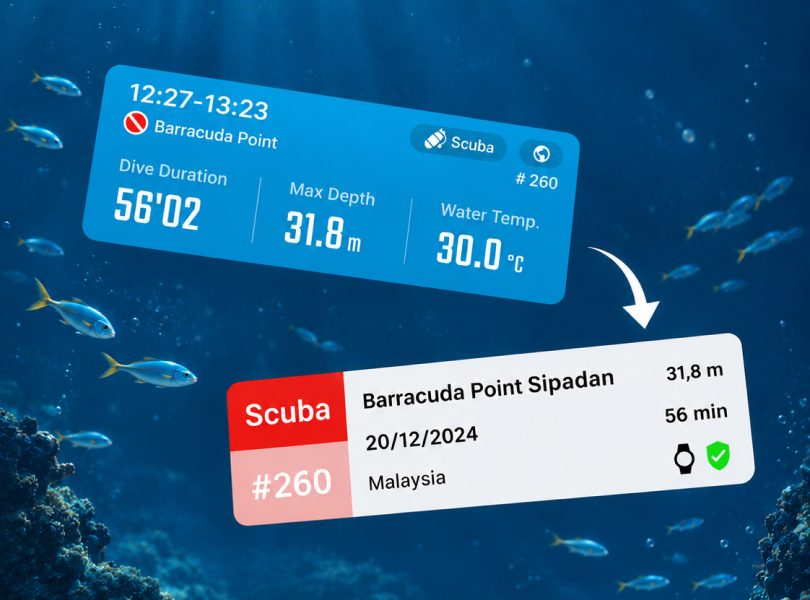
Connect ATMOS to SSI APPMISSION ONEMISSION2MISSION3 Connect ATMOS to SSI What to Know About Connecting ATMOS to SSI Connect your ATMOS app with your SSI…Miles Hsu11/05/2026
Battery Care Tips|How to Make Your Battery Last Longer MISSION ONEMISSION2MISSION3 Battery Care Tips|How to Make Your Battery Last Longer What to Know About Lithium Batteries Dive computers use lithium-ion batteries—the same kind you’ll find in phones,…Kuo Finn06/18/2025
MISSION Dive Computer Not Found / Sync Failed / Reset Pairing Connection APPMISSION ONEMISSION2MISSION3 MISSION Dive Computer Not Found / Sync Failed / Reset Pairing Connection ※ Please make sure your ATMOS App is the latest: https://www.atmos.app/app/ ※ Please follow the…Windy12/19/2024
Android | Setting up Dive Computer Smart Notifications APPMISSION ONEMISSION2MISSION3 Android | Setting up Dive Computer Smart Notifications Android | Setting up Dive Computer Smart Notifications For Android users using the ATMOS App…Windy04/01/2024
Stuck on the startup screen after updating MISSION2 firmware v1.018 Firmware UpdateMISSION2 Stuck on the startup screen after updating MISSION2 firmware v1.018 Stuck on the startup screen after updating MISSION2 firmware v1.018 Please follow the steps below…Kuo Finn03/26/2024
Fail to Pair / Can not find MISSION2 / Can not sync / Re-pair APPMISSION ONEMISSION2MISSION3 Fail to Pair / Can not find MISSION2 / Can not sync / Re-pair Fail to Pair / Can’t find MISSION2 / Can’t sync / Re-pair ※ Please…Kuo Finn07/27/2022
Updating MISSION2 firmware Firmware UpdateMISSION2 Updating MISSION2 firmware Updating MISSION2 firmware ※Only support WINDOWS Updating Firmware via cable (Windows) Enable MISSION2 firmware update:…Kuo Finn06/06/2022